
Professional Badge Printing
Print professional, branded badges on-site in seconds. CrowdPass Badge Printing integrates directly with registration and check-in, so attendees receive their personalized badge the moment they arrive.

<10s
Paper Badge Print
500+
Badges per Hour
100%
Full Color
NFC
Chip Encoding
Three steps to on-site badge printing
Design once, print on demand. CrowdPass handles the entire badge workflow from template to attendee hands.
Design Your Badge
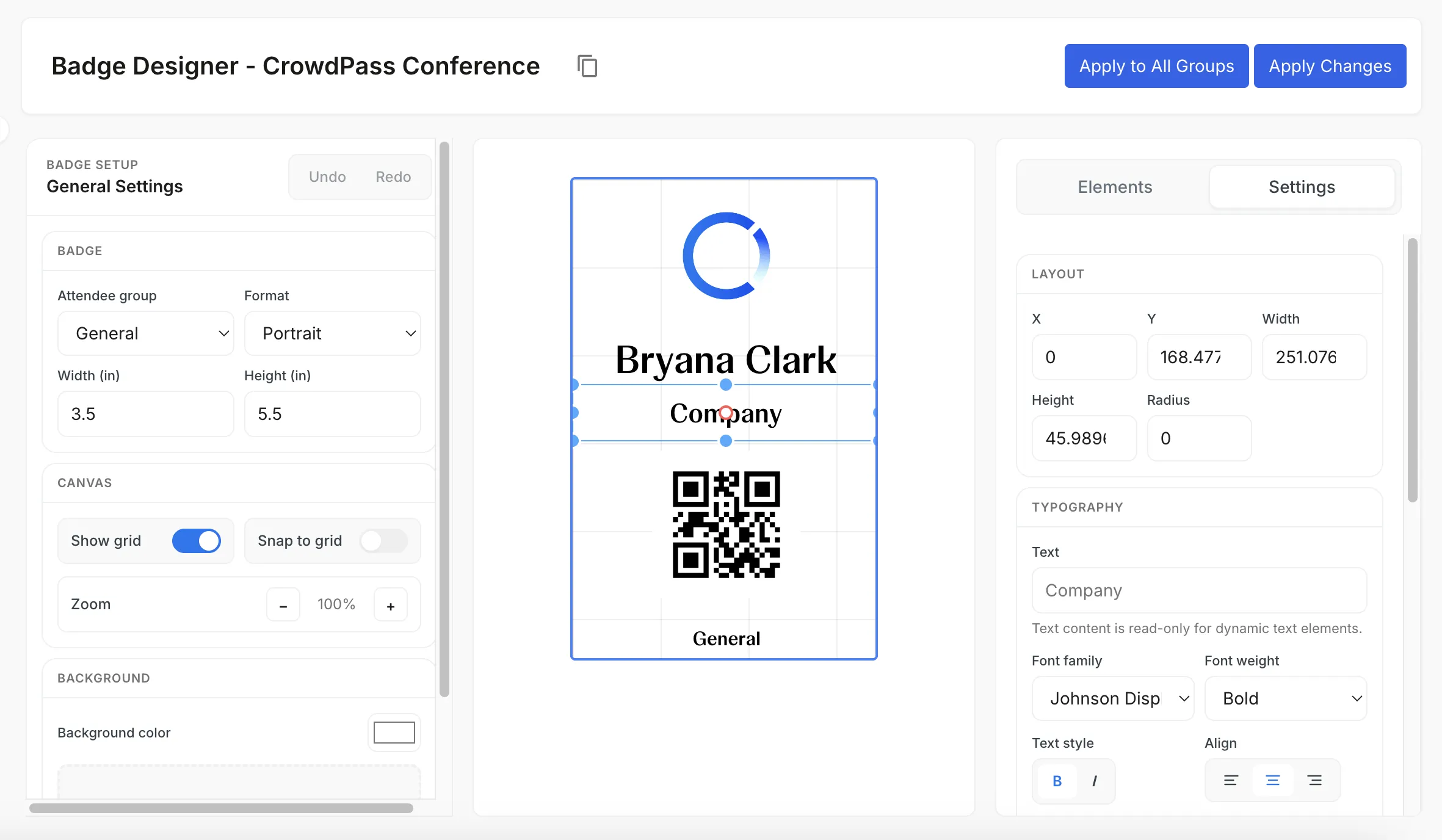
Use the visual badge editor to create your layout with attendee name, company, photo, QR code, and color-coded role indicators. Save templates for reuse across events.
Connect Your Printers
Plug in your badge printers and they connect to CrowdPass automatically. The system detects printer capabilities and optimizes output for each device.
Print at Check-In
When attendees scan their QR code or NFC credential, their personalized badge prints at the nearest available printer. PVC credential cards take around 45 seconds; thermal paper badges print in under 10.
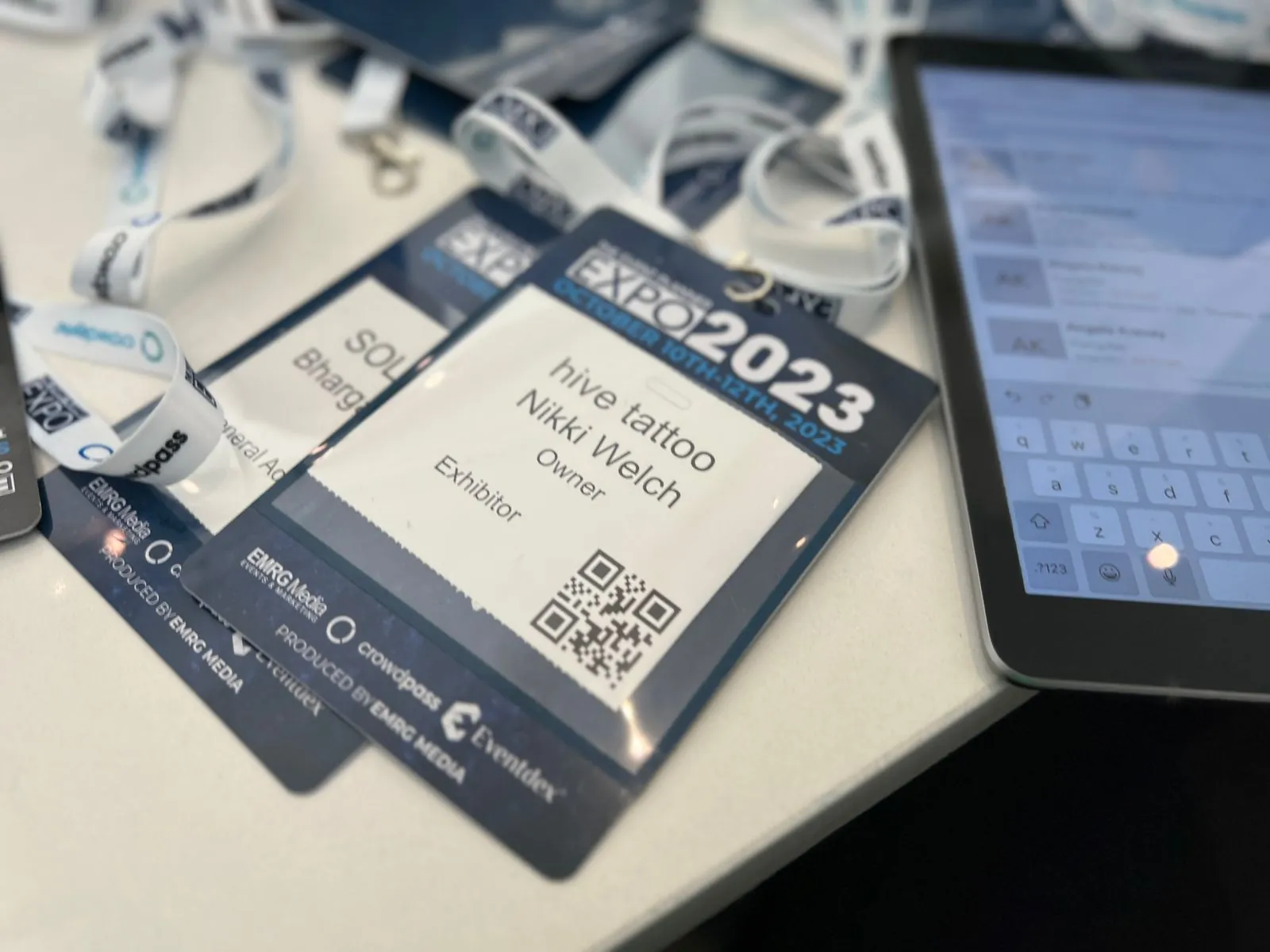
Everything you need for professional badges
On-demand printing, custom design, NFC encoding, and multi-printer support in one integrated system.
Speed Meets Quality
Our badge printing system runs on both PVC card printers and thermal label printers. Full-color PVC credential cards print in about 45 seconds; thermal paper badges in under 10. Choose the right balance of premium look and throughput for your event.
- Full-color badges with logos, photos, and branding
- PVC card printing in ~45s, thermal paper in under 10s
- Automatic load balancing across multiple stations
- Support for custom badge sizes and materials
Need a Zebra ZC10L printer for your next event?
CrowdPass offers full-service ZC10L badge printer rentals with setup, support, and iPad integration included.

Smart Badge Design
Every badge is more than a name tag. Embed QR codes for quick scanning, NFC chips for contactless interactions, and color-coded indicators for access levels. The visual badge editor gives you full control over layout, fonts, and branding.
- Visual drag-and-drop badge editor
- QR code and NFC chip encoding built in
- Color-coded role and access level indicators
- Reusable templates across multiple events
Frequently Asked Questions
On-Site Badge Printing for Events of Every Size
On-site badge printing eliminates one of the biggest friction points at live events: the registration desk bottleneck. Instead of pre-printing thousands of badges, sorting them alphabetically, and staffing a table where volunteers flip through boxes, CrowdPass prints each badge on demand the moment an attendee checks in. The result is a faster line, fewer staff hours, and a professional first impression that sets the tone for the rest of the event.
The system works with thermal and inkjet badge printers from Zebra, Evolis, HID Fargo, and Brady. You design your badge layout once using the visual editor, and every badge is generated with the correct attendee name, company, photo, QR code, and color-coded role indicator. For events that need NFC functionality, badges with embedded chips are paired to each attendee in a quick post-print step, so they are ready for contactless interactions before they leave the check-in station.
Conference Badge Printing That Scales
Conference badge printing has specific requirements that generic label printers cannot meet. Attendees expect full-color badges with readable text, clear role indicators, and a design that matches the event branding. CrowdPass delivers all of this at speeds that keep the check-in line moving: full-color PVC credential cards in around 45 seconds, thermal paper badges in under 10. For large conferences, you deploy multiple print stations with automatic load balancing. If one printer goes offline, jobs reroute to the next available station without any attendee-facing delay. This kind of redundancy matters when you are processing a thousand arrivals in the first hour of a multi-day conference.
NFC Badge Printing and Custom Event Badges
With CrowdPass, the printer outputs the visual badge — and the embedded NFC chip is paired to the attendee in a quick step after printing. Once paired, that chip can be used for zone-based access control, lead retrieval on the expo floor, session attendance tracking, and cashless payments. Custom event badges become more than name tags. They become the attendee's key to the entire event experience. The badge designer supports drag-and-drop layout editing, reusable templates, and conditional fields so that speaker badges look different from exhibitor badges, which look different from general admission. Every detail is configurable.
Badge printing also connects directly to event registration. When an attendee registers online, their data flows into the badge template automatically. On event day, a single QR scan at the check-in kiosk pulls their record, triggers the print job, and marks them as arrived. There is no re-entry of data, no mismatched names, and no manual badge assembly. For organizers who also issue smart NFC badges for premium attendees, the same workflow handles both standard printed badges and NFC-enabled credentials in a single check-in flow.
Ready to upgrade your event badges?
Join thousands of event professionals who trust CrowdPass for fast, professional badge printing that integrates seamlessly with registration and check-in.